
Rush Line
Action · Rush Line: Chain parkour actions across city streets, dodge traffic and use brief slow-motion opportunities to keep your run alive.

Check the inputs for this game version before starting
Open the loaded game’s tutorial or controls menu. Input methods and device support vary by title; this site does not assume every game uses WASD, jumping or touch controls.
Controls and game settings can be toggled inside the game menu.
Complete overview, mechanics, and standout features
The description below is supplied by the linked game provider. Features may differ between versions.
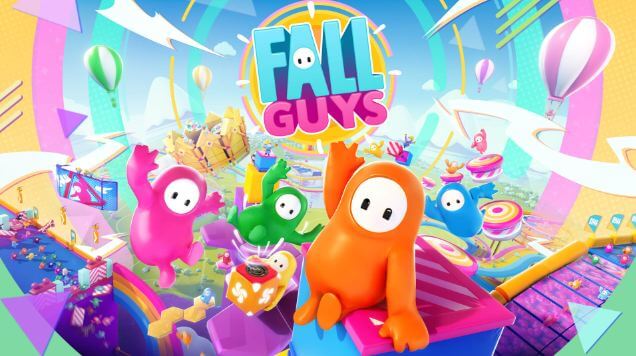
Fall Guys replaces traditional combat with a physics-driven obstacle course where survival depends on balance rather than weapons. You control a bean-shaped character navigating through chaotic environments filled with swinging hammers, falling floors, and rolling projectiles. The gameplay focuses on physical comedy and unpredictable movements as dozens of players stumble and collide while racing toward the finish line. Success in this version requires you to manage your character's clumsy momentum and avoid being grabbed or pushed off the stage by opponents.
The control scheme is simple, allowing players to focus on the movement mechanics of their bean.
Action | Control Key |
Move | Arrow Keys or WASD |
Jump | Spacebar |
Dive | Ctrl |
Grab | Shift |
Use these straightforward strategies to improve your survival rate in physics-heavy rounds:
If you enjoy the unpredictable movement and social chaos of Fall Guys Unblocked, you should try these related games:
Are you ready to dive and bounce your way to the crown? Experience this popular physics-based platformer directly in your browser without any downloads. Scroll up, click Play Now, and start your Fall Guys adventure on HotWebGames today!
System requirements, engine framework, and platform details
| Title | Fall Guys | Platform | Web browser; device support varies |
|---|---|---|---|
| Category / Genre | Arcade • Free Browser Game | Engine / Tech | Varies by game version |
| Controls | See the controls in the loaded game | Content Rating | Not independently age-classified |
| Price | Free to open; in-game terms may vary | Publisher | See the loaded game’s credits |
Quick answers to common questions about playing Fall Guys online
Yes, Fall Guys can be opened from this page without a HotWebGames access fee. The provider controls any in-game purchases, accounts, or additional features.
Device and browser support vary by version. Check the loaded game’s menu for touch controls; some titles require a keyboard and mouse.
Click the Fullscreen icon (⛶) on the right side of the game toolbar below the player. Pressing Esc anytime exits fullscreen mode.
HotWebGames stores favourites and portal sound preferences on this device. Game progress and scores depend on the embedded game’s own save system; persistence is not guaranteed.
Action · Rush Line: Chain parkour actions across city streets, dodge traffic and use brief slow-motion opportunities to keep your run alive.
Puzzle · Block Blast: Fit block shapes into the grid, clear full rows or columns and leave enough room for the next set of pieces.
Action · 1v1.LOL: Construct walls and ramps during arena duels, practise your aim and combine quick building with well-timed shots.
Sports · Retro Bowl: Guide a pixel-football offense, choose passing opportunities and manage a roster through a season-long championship campaign.
Arcade · Subway Surfers: Switch lanes between moving trains, jump barriers and collect coins while using power-ups to extend an endless railway run.
Arcade · Slope: Steer a rolling ball down narrow neon tracks, anticipate bends and avoid red hazards as the descent grows faster.
Action · Among Us: Complete crew tasks, watch suspicious behavior and use meetings to identify impostors before sabotage overwhelms the team.
Arcade · Minecraft: Explore a block-world browser listing, gather materials and plan structures while following the controls of the loaded version.
Arcade · Level Devil: Learn deceptive platform layouts, expect traps to change your route and use each failed attempt to plan a safer path to the exit.
Arcade · Crazy Cattle 3D: Handle unpredictable 3D movement, judge collisions and use the environment to stay in control during chaotic animal action.
Arcade · Crossy Road: Hop across traffic lanes, railway lines and rivers, timing each move to avoid cars and land safely on passing logs.
Racing · PolyTrack: Race against the clock on low-poly circuits, refine racing lines and build custom tracks with ramps, turns and loops.


